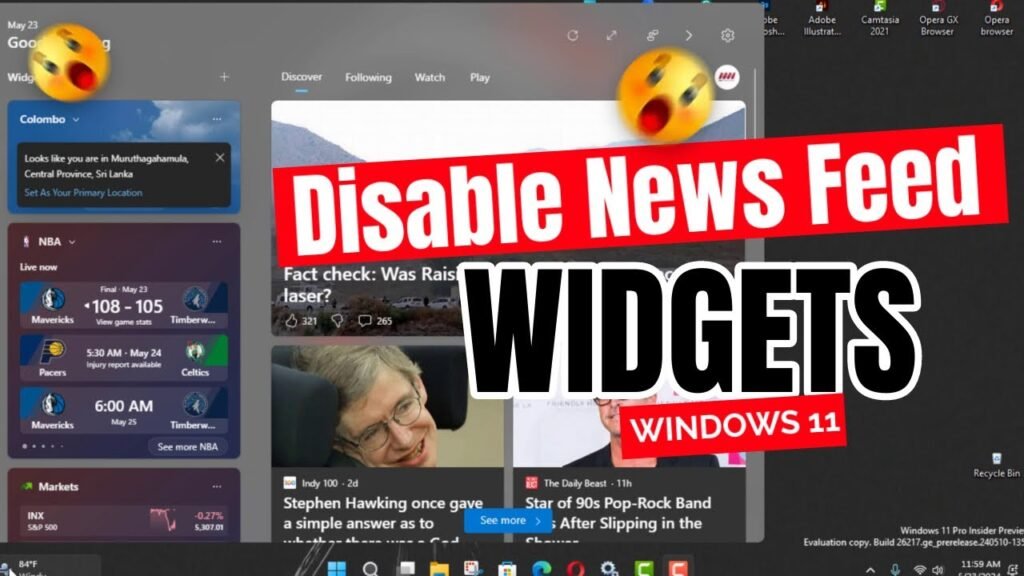

The Widgets board in Windows 11 shows weather, calendar and other small cards, but most of the space is taken by a news feed full of headlines and ads. If you only want your widgets, you can hide the feed. You can also stop the board from opening by accident.
How to hide the news feed in Widgets
Recent versions of Windows 11 let you turn the feed off from the Widgets settings.
- Press Windows + W to open the Widgets board, or click the weather icon on the taskbar.
- Click the Settings (gear) icon at the top-right of the board.
- Open Show or hide feeds.
- Turn off the feed toggle (for example My feed or the Microsoft Start feed).
- Confirm if Windows asks. Close the board and open it again.
Now the board shows only your widgets, such as weather, calendar or photos.
If you don’t see Show or hide feeds, your PC is on an older build. Go to Settings > Windows Update and install the latest updates, then try again.
Customise which widgets you see
- Open the Widgets board and click the + (Add widgets) button.
- Pin the widgets you want, such as Weather, Calendar or To Do.
- To remove a widget, click the three dots on its card and choose Unpin widget.
Stop Widgets from opening on hover
The board can pop open when your mouse passes over the weather icon. To stop that, open the Widgets board, click the gear icon and look for the option to open the board on hover. Turn it off so the board only opens when you click.
Turn off Widgets completely
If you never use Widgets, remove the button from the taskbar:
- Right-click an empty area of the taskbar and choose Taskbar settings.
- Under Taskbar items, turn off Widgets.
The weather icon disappears. You can still open the board at any time with Windows + W.
Useful tips
- To see fewer stories of one type while the feed is on, click the three dots on a story and choose the option to hide or see fewer stories like it.
- Signing out of the Widgets board does not remove the feed; use the settings above instead.
Frequently asked questions
Does hiding the feed remove weather from the taskbar?
No. The taskbar weather icon is part of the Widgets button. It stays until you turn off Widgets in Taskbar settings.
Will the feed come back after an update?
Usually your choice is kept. If a major update turns the feed back on, repeat the steps in the Widgets settings.