
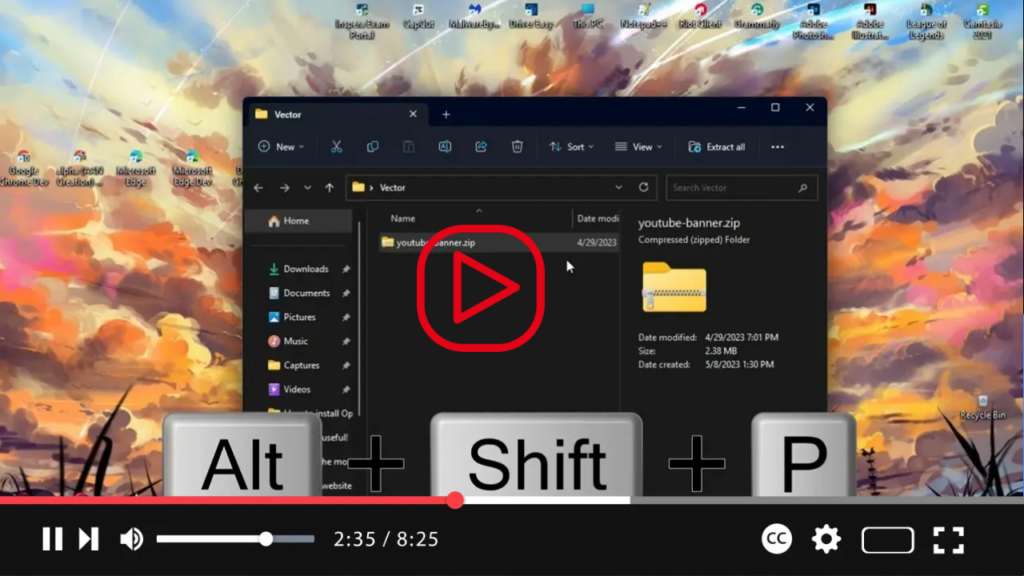

Microsoft is gearing up to introduce several enhancements to File Explorer in Windows 11, aiming to streamline user experience and enhance productivity. Among these improvements are a redesigned details pane and the ability to drag tabs out to create separate instances. These visual enhancements are set to debut with the release of build 23451, available through the Dev Channel.
Details Pane Redesign:
The details pane, a longstanding feature of File Explorer, is undergoing a modernization process to make it more intuitive and useful. In the upcoming update, the details pane will slide in from the right side of the window, offering users quick access to essential file information. You can easily toggle the details pane on or off using the “Details” button located in the top-right corner of the File Explorer window. Alternatively, you can utilize the legacy keyboard shortcut “Alt + Shift + P” to activate or deactivate the pane. Additionally, the “View” menu will provide users with the option to open or close the details pane, offering flexibility in how they interact with File Explorer.

Enhanced Tab Management:
Another notable improvement coming to File Explorer is the ability to drag tabs out to create separate instances. This functionality allows users to organize their file management workflow more efficiently by enabling them to work with multiple instances of File Explorer simultaneously. By simply dragging a tab away from the main window, users can create a new File Explorer instance, providing a seamless multitasking experience.
These enhancements represent Microsoft’s commitment to refining the File Explorer experience on Windows 11, catering to the evolving needs of users and improving overall usability. With the redesigned details pane and enhanced tab management capabilities, navigating and managing files in Windows 11 will become more intuitive and efficient than ever before.
As Microsoft continues to fine-tune File Explorer with additional features and improvements, users can look forward to a more seamless and productive file management experience on Windows 11. Stay tuned for further updates and enhancements as Windows 11 evolves to meet the demands of modern computing.

