
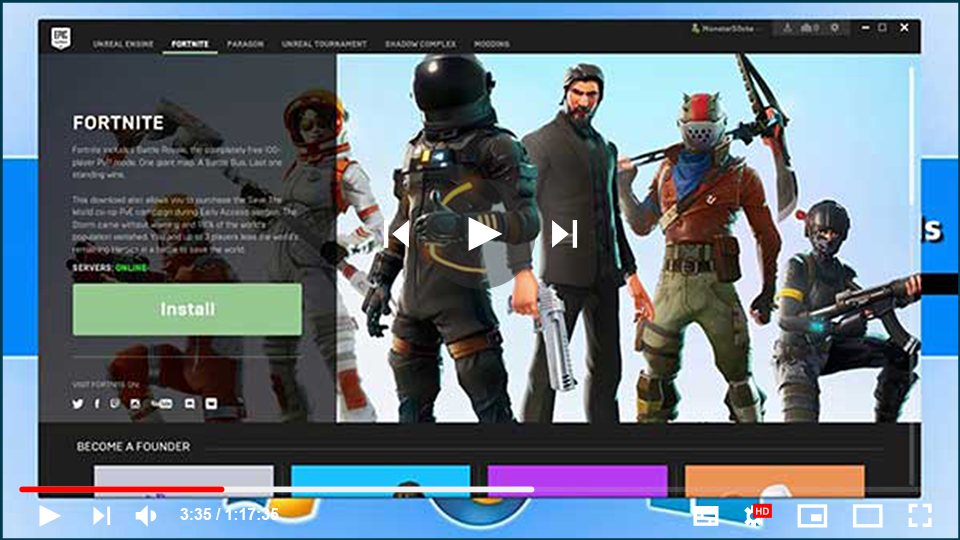

In recent years, the Battle Royale genre has exploded in popularity.
While PUBG invented the genre, it was quickly outgrown by games like
Fortnite and Call of Duty: Warzone. Fortnite is an example of a game that
has managed to maintain its player base in the face of fierce competition.
Epic Games has done an excellent job of keeping players interested with
new content, crossovers, and other features. They did a crossover with the
Aliens franchise recently, and the Xenomorph skin was added to the game.
The system requirements for playing Fortnite on a PC or mobile device are
listed below.
While PUBG invented the genre, it was quickly outgrown by games like
Fortnite and Call of Duty: Warzone. Fortnite is an example of a game that
has managed to maintain its player base in the face of fierce competition.
Epic Games has done an excellent job of keeping players interested with
new content, crossovers, and other features. They did a crossover with the
Aliens franchise recently, and the Xenomorph skin was added to the game.
The system requirements for playing Fortnite on a PC or mobile device are
listed below.
Fortnite Minimum PC Requirements List
Fortnite, unlike some other Battle Royale games, is not overly taxing.
It can even run on integrated graphics, which is one of the reasons for
its widespread popularity. If you want to play the game on the lowest
settings, then all you need is an i3 2.5 GHz CPU, 4GB of RAM, and Intel
HD 4000 or higher. The following are the system’s minimum requirements:
It can even run on integrated graphics, which is one of the reasons for
its widespread popularity. If you want to play the game on the lowest
settings, then all you need is an i3 2.5 GHz CPU, 4GB of RAM, and Intel
HD 4000 or higher. The following are the system’s minimum requirements:
(adsbygoogle = window.adsbygoogle || []).push({});
-
CPU: Core i3
2.4GHz
-
RAM: 4GB RAM
-
HDD: 16GB Free
Space
-
GPU: Intel HD 4000
(integrated graphics)
-
OS: Windows 7, 8,
or Windows 10 64-bit
-
DirectX: Version 11 or
better
Fortnite Recommended PC Requirements List
Playing at low settings with low FPS may not be ideal for enthusiasts
and players at higher levels. Higher FPS can make a significant
difference in your gameplay, especially given the competitive nature of
the game. By today’s standards, the recommended settings aren’t
particularly high. All you’ll need is a GTX 660 or higher with at least
2GB of VRAM and 8GB of RAM, as well as an i5 2.8GHz processor. Here are
the recommended system requirements.
and players at higher levels. Higher FPS can make a significant
difference in your gameplay, especially given the competitive nature of
the game. By today’s standards, the recommended settings aren’t
particularly high. All you’ll need is a GTX 660 or higher with at least
2GB of VRAM and 8GB of RAM, as well as an i5 2.8GHz processor. Here are
the recommended system requirements.
-
CPU: Core i5
2.8GHz
-
RAM: 8GB RAM
-
HDD: 16GB Free
Space
-
GPU: Nvidia
GeForce GTX 660 / AMD Radeon HD 7870 or equivalent video card with
dedicated memory of 2GB or higher VRAM.
-
OS: Windows 7,
8.1, or Windows 10 64-bit
-
DirectX: Version
11 or better
How to Install Fortnite on a Computer or Laptop
You’ll need an Epic Games account to download Fortnite for PC. Epic
Games also has a large number of other games available for purchase in
their store. It is one of the most popular platforms available, with
regional pricing support and frequent discounts and giveaways. Here’s
how to get Fortnite for free from the Epic Games Store.
Games also has a large number of other games available for purchase in
their store. It is one of the most popular platforms available, with
regional pricing support and frequent discounts and giveaways. Here’s
how to get Fortnite for free from the Epic Games Store.
02. In the Sign-in popup, click on Sign Up and follow the instructions
to create your Epic Games Account. You can also use Google or your
social media accounts, such as Facebook, to sign up.
to create your Epic Games Account. You can also use Google or your
social media accounts, such as Facebook, to sign up.
03. Go back to the Epic Game Store website and click on Get Epic Games.
04. The installer will start downloading. Follow the on-screen
instructions to install the Epic Games Launcher.
instructions to install the Epic Games Launcher.
05. Login with your credentials, and click on the Store tab
06. Search Fortnite and install the game at your desired location.
07. Once it’s downloaded, go to your Library and play the game from
there.
there.
Install Fortnite using the Epic Games Launcher
Before you can board the Battle Bus on PC, you’ll need to download
the Epic Games Launcher and Fortnite.
If you haven’t already, install the Epic Games Launcher.
Once you’ve installed the Launcher, follow these steps to download
Fortnite and start playing.
-
Start the Epic Games Launcher.
-
Log in to your Epic Games account.
-
Click Store.

-
Type Fortnite in the search box, and then press Enter.
-
Click the Fortnite store tile.
-
Click GET to download Fortnite for FREE!

-
Go to your Library, and then click Fortnite.
-
Read the Fortnite End User License Agreement, check the box to confirm that you agree to it, and then
click Accept.
-
Select the location you’d like to install Fortnite (Default:
C:Program FilesEpic Games), and then click Install.
- Once the download is complete, click Fortnite to launch the game and start playing!

