


There are two versions of safe mode: Safe Mode and Safe Mode with Networking. They’re quite similar, but Safe Mode with Networking includes the network drivers and services you’ll need to access the Internet and other computers on your network.
The following sections describe how to start your PC in safe mode.
01. Press the ( Windows logo key + I ) on your keyboard
02. Open Settings. If that doesn’t work,
03. Select the Start button in the lower-left corner of your screen.
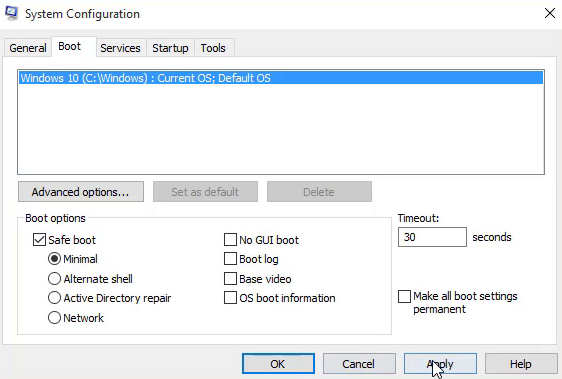
04. Select Settings.
05. Select Update & security – Recovery .
06. Under Advanced startup.
07. Select Restart now.
After your PC restarts to the Choose an option screen
01. Select Troubleshoot – Advanced options – Startup Settings Restart.
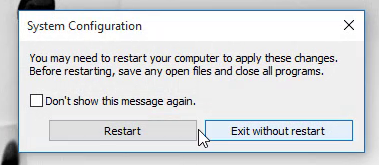
Restart your PC. When you get to the sign-in screen, hold the Shift key down while you select the Power Power icon – Restart.
After your PC restarts to the Choose an option screen, select Troubleshoot – Advanced options – Startup Settings – Restart.
After your PC restarts, you’ll see a list of options. Select 4 or F4 to start your PC in Safe Mode. Or if you’ll need to use the Internet, select 5 or F5 for Safe Mode with Networking.
(adsbygoogle = window.adsbygoogle || []).push({});

