

Are you missing the good ol’ days of having your Taskbar icons aligned to the left on Windows 11? Well, you’re in luck because you can easily restore that classic alignment. In this guide, I’ll walk you through the steps to make this adjustment.
Windows 11 comes with a revamped Taskbar that centers its elements by default, providing easier access to the Start menu and applications, especially on larger screens. However, if you prefer the familiar left alignment for your Taskbar icons, Windows 11 offers a setting to customize this to your liking.
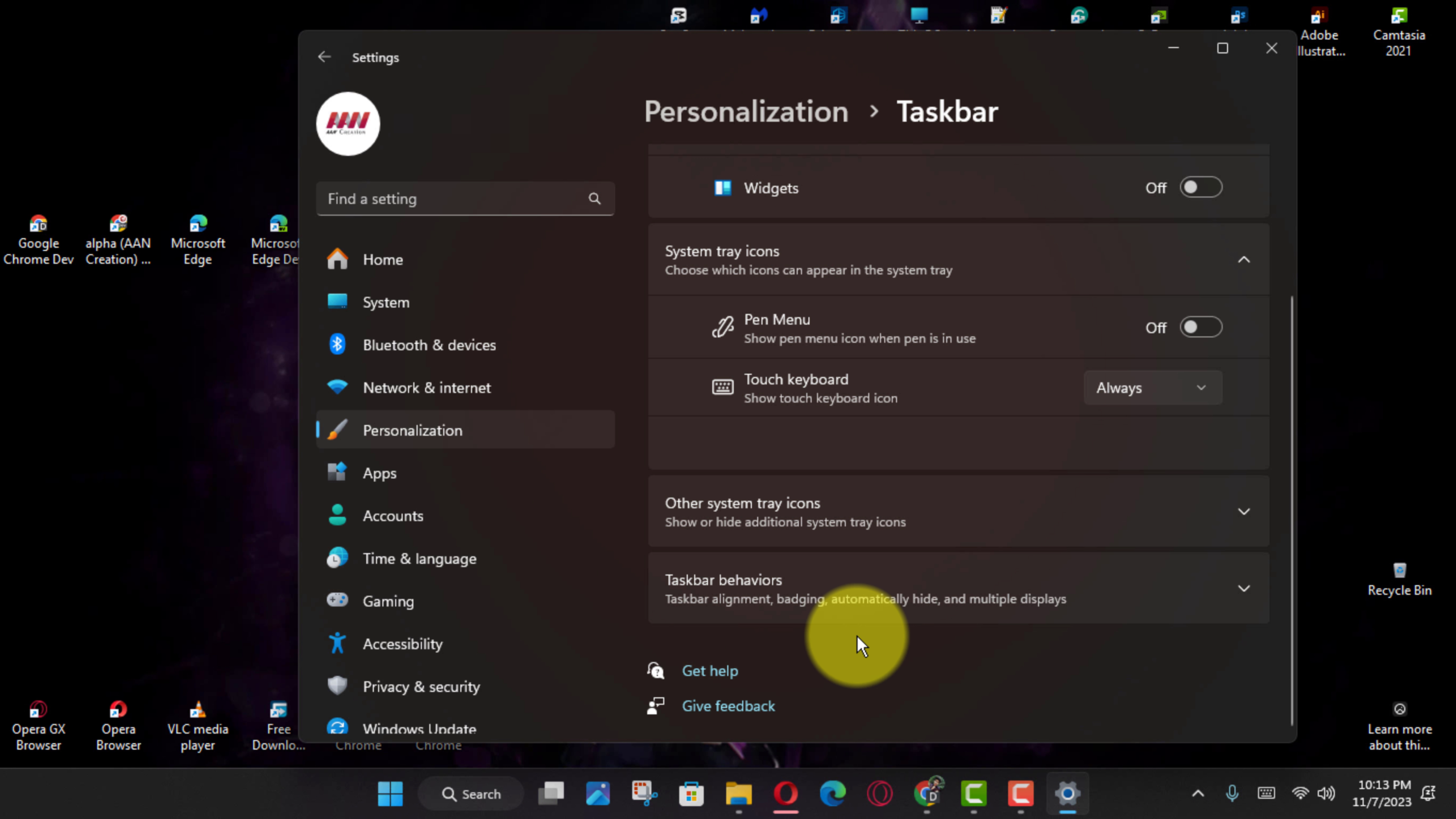
Here are two methods to change the Taskbar alignment on Windows 11:
- Open Settings on Windows 11 and navigate to Personalization.
- Click on Taskbar.
- Select Taskbar behaviors.
- Choose the Left option under the “Taskbar alignment” setting.
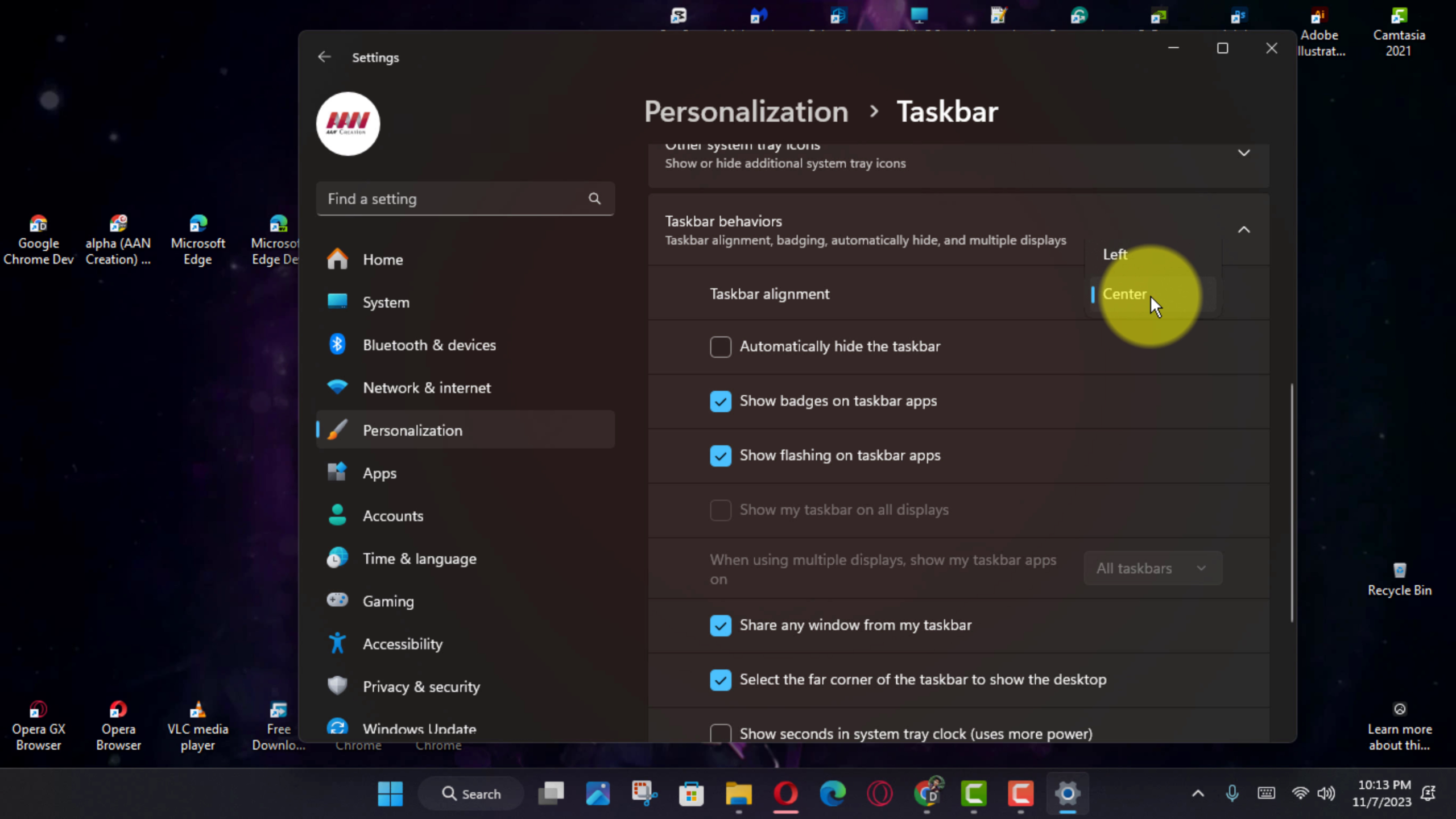
Once you’ve followed these steps, your Start button and other icons will align to the left side of the Taskbar, just like they did on Windows 10. Enjoy the familiarity and ease of use brought back by this simple adjustment.

