


This is essentially what protects you when you use a VPN to browse the web.
The protocol you use will determine what sort of security and speeds you get
when you’re on the internet, affecting both your download and upload
speeds
most common being OpenVPN, L2TP, and IPsec. OpenVPN is the most popular at
the moment because it provides the best security, speed, and versatility.
However, recent advancements have resulted in the creation of a newer
security software known as Softether.
and is the most recent technological development. This article will
explain what this protocol can do, how to obtain it, and some of the
benefits and drawbacks associated with it.
What is Softether?
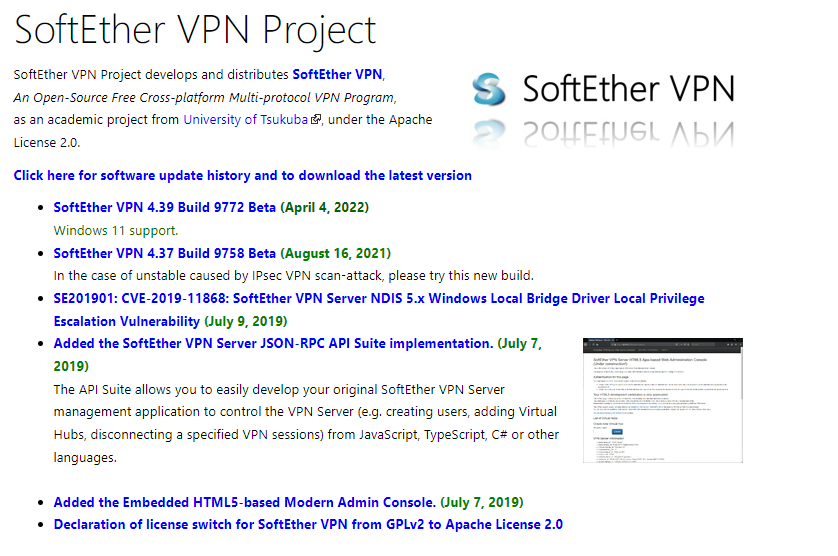
for VPN use. The software was created at a university in Japan. The
VPN software was finished in 2014 by a man named Daiyuu Nobori, who
was the head developer. This is the most recent and advanced VPN
protocol to be released, and it shares many similarities with OpenVPN.
Particularly in terms of security.
recognized as a powerful piece of software. It is free to use and is
compatible with a variety of operating systems, including Windows,
Mac, and Linux. The software is gentler on operating systems and can
support multiple security protocols in addition to its own. Softether
has a plethora of additional features, which will be revealed
throughout the review.
How to Use Softether VPN
software that you can download at any time. All you have to do is go
to the main Softether website and look for the download tab, or go to
a service provider that supports the Softether protocol and download
it from there.
which provides a direct download for their VPN client. If you want to
go straight from the website, you’ll have to select a few more
options, which may be confusing for beginners.
make this clear on their website. When you get to the Softether
client, you’ll need to enter some server information. If your provider
does not support the protocol, these will not work.

2. Navigate your way through the installation wizard
- Agree to the terms and conditions
- Select a directory to install the files
- Let the installation run and then click finish
3. Once the setup is complete, open the Softether
client
(adsbygoogle = window.adsbygoogle || []).push({});
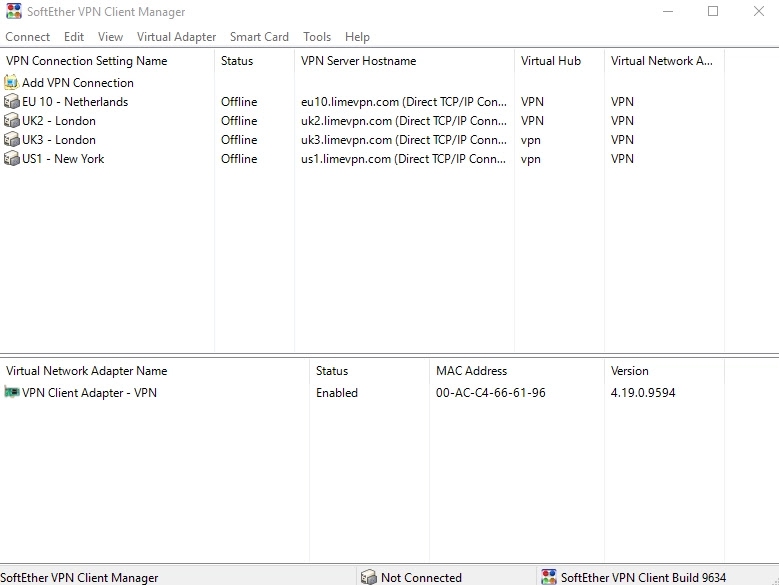
4. Click “Add a VPN connection” (if you’re asked to create an
adapter, click “yes”)
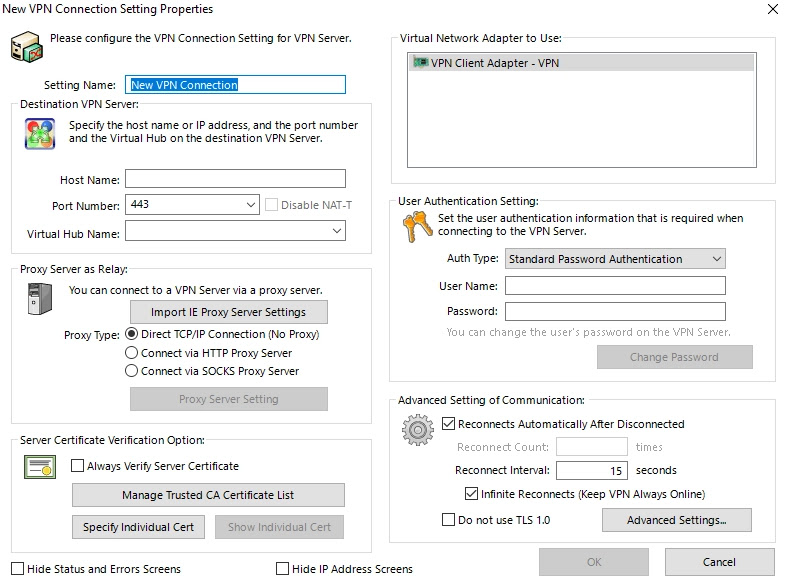
5. This is where you’ll need to input the details of your server
(these will be supplied by your provider)
6. Click “ok” and, right-click on your new connection and click
“connect”
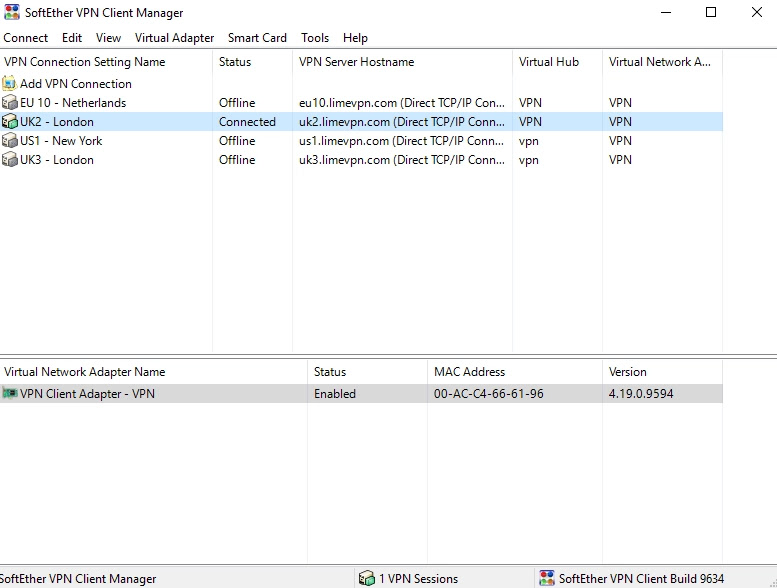
7. The VPN should start
You will be able to add as many servers as can you please depending on
the provider you’re using. Just repeat steps 4-7 for each server.
So now, you should know how to use softether VPN client.

