

If you’re looking to add a splash of color and personalization to your computer’s folders, Folder Colorizer is a simple and effective tool to do just that. With just a few clicks, you can change the color of your folders, making it easier to organize and identify them at a glance.
What is Folder Colorizer?
Folder Colorizer is a lightweight application designed to let you change the colors of your folder icons quickly and easily. By customizing your folder colors, you can enhance your file organization and make your desktop more visually appealing.
Download Folder Colorizer
To get started, download the Folder Colorizer application from the official link: Download Folder Colorizer.
How to Change Folder Icons and Colors
Step 1: Install Folder Colorizer
- After downloading the installer, locate the file and double-click it to run.
- Follow the on-screen instructions to complete the installation process.
Download: https://folder-colorizer.en.uptodown.com/windows
(adsbygoogle = window.adsbygoogle || []).push({});
Step 2: Change Folder Colors
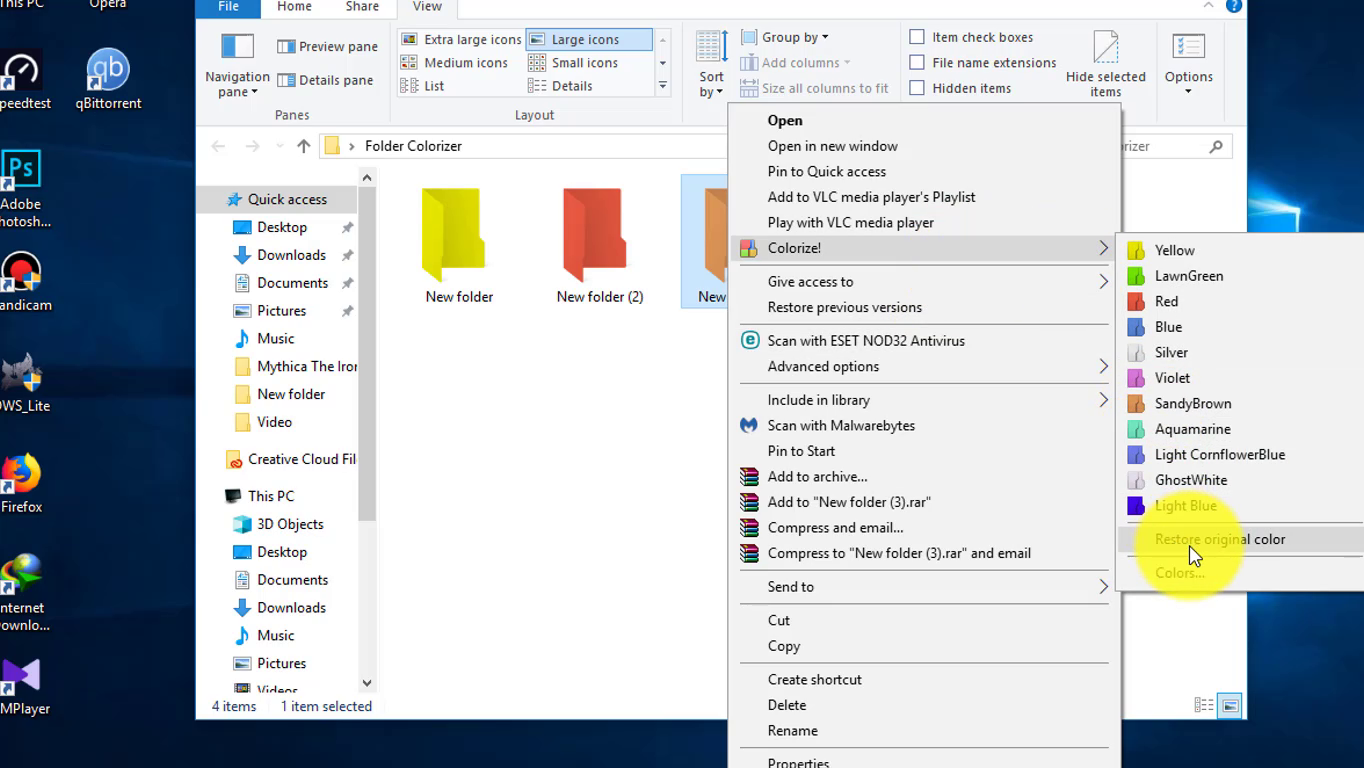
- Right-click on the folder you want to colorize.
- From the context menu, select Colorize.
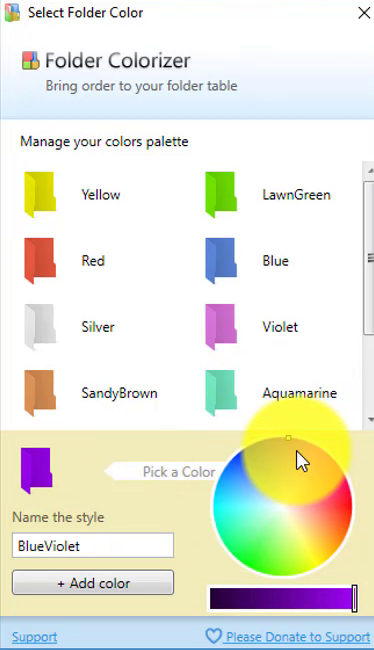
- A palette of colors will appear. Choose your preferred color from the options provided.
Step 3: Confirm Your Selection
- Once you select a color, the folder icon will change immediately.
- You can repeat this process for any other folders you want to customize.
Note on Image Previews
Keep in mind that if the selected folder contains images, changing its color will result in the loss of the usual preview thumbnail for those images. However, this is a small trade-off for the added visual organization.
Additional Features
- Quick Access: The color-changing process is quick, allowing you to customize multiple folders in seconds.
- Visual Organization: Assigning different colors to folders can help you quickly locate specific files or directories, improving your workflow.
Conclusion
Using Folder Colorizer is an easy way to personalize your Windows 10 experience by changing the colors of your folders. With just a few clicks, you can enhance your computer’s visual appeal and make file organization more efficient. Whether you’re categorizing projects, photos, or other important files, colorful folders can make a significant difference in your digital workspace.
(adsbygoogle = window.adsbygoogle || []).push({});

