
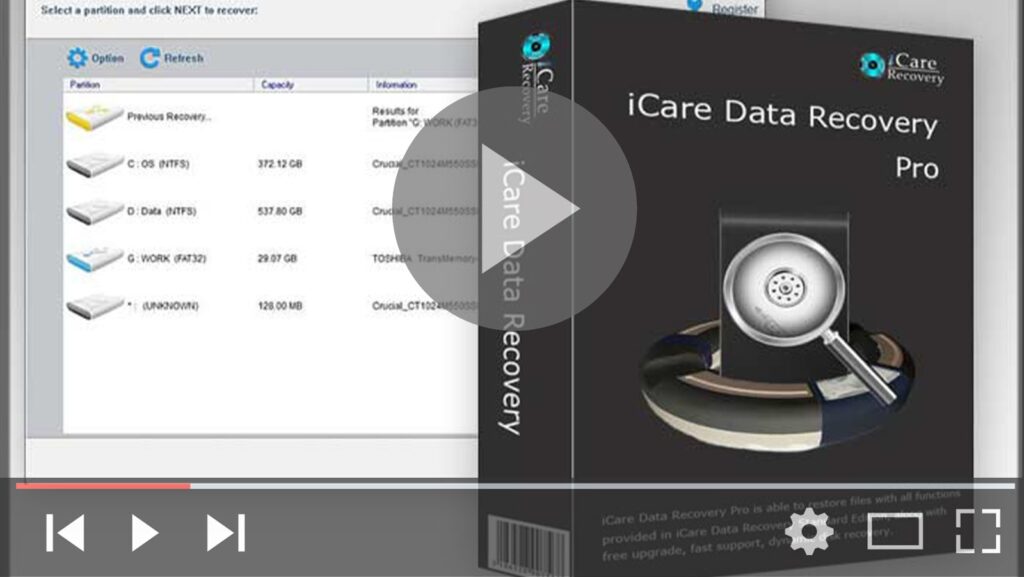

Data loss won’t be your biggest nightmare anymore! As one of the best & Free data recovery software – iCare Data Recovery works as a comprehensive solution for data recovery which provides files recovery and easy access for wrong formatted drives, partition deleted, software unexpected crashes, unexpectedly operations, inaccessible drive, raw drive or raw file system, virus attack, etc.
It can provide a file recovery function to recover any deleted files like Videos, outlook or email files, presentations, images, documents, mp3 music files, and its fundamental character/features stand out for itself among any other kind of software such as hard drive recovery, removable hard drive recovery, digital camera sd card recovery, android micro sd card recovery, USB drive recovery, memory card recovery, etc.
Download: https://bit.ly/2QKNLIh
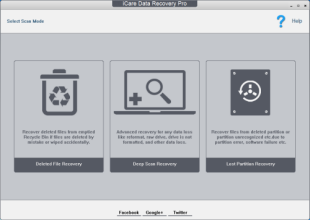
How to perform pen drive file rescuing
01. Download and install iCare Data Recovery, connect your USB pen drive to PC and run iCare.
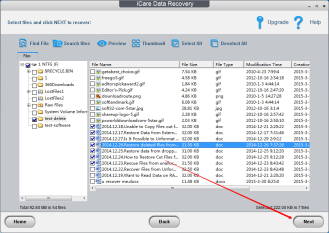
02. Wait for scanning files processes Complete from a pen thumb drive.
03. Preview lost files or photos and save them on your computer hard disk Location.
How to Restore Data from Pen Drive Which Is Not Visible?
How can you get files back from a pen drive which is not showing up? Below are the different conditions for invisible file recovery on a pen drive.
01. Data recovery from pen drive which cannot be recognized by the Computer.
A pen drive that can not be recognized might be caused by a man-made error or virus attack, improper operation, etc. When a pen drive is not detected by Windows, go to Disk Management to run a search on it. Then, try to disconnect and reconnect the pen drive to the computer again. Please make sure the USB port works well. If the pen drive didn’t experience any chip damages, if iCare Data Recovery can detect it then you may freely start a recovery.
2. Data on pen drive got wiped out
If the pen drive can’t be recognized but as well all data on it isn’t showing, please go to the Folder Options from Tools bar on My Computer to visit all hidden files and folders. or else, files might be hidden or corrupted by viruses or spyware, simply run antivirus software to scan the pen drive to check the virus.
iCare SD Memory Card Recovery.
The Best & Easiest SD Memory Card data recovery software for android phones, digital cameras. The simple way to get back the lost data from all kinds of memory cards.
Download: https://bit.ly/2DcALYU
Don’t Worry about Data Loss. No matter what type of data loss, no matter what type of device is using, iCare SD Card Recovery can restore data.
Deletion
The format or Factory Reset
Virus Attack
Raw Drive Error
Card Ask Reformatting
Denied Accessibility& Not Detected
Removal without Ejecting
Only if the memory card isn’t physically damaged, your data can be recovered. Supports All Kinds of Memory Card
iCare SD Card Recovery Free Edition can recover all kinds of memory cards including Mobile/Camera SD Memory Card, Micro SD/TF, XD, CF Card, SDXC, etc.
Download:

(adsbygoogle = window.adsbygoogle || []).push({});
If your digital device like an external hard drive or sd memory card suddenly became raw and asked to reformat, don’t worry, download this raw drive recovery utility to repair the raw file system & access its inside data with iCare which only takes three easy steps to get out of the RAW hassles! Most raw cases of 80% to 100% Recovery by iCare Recovery! Download iCare Pro Application, the Raw Recovery Tool Now & it’s free to recover data for free within 1GB.
Follow the Link Need More Information: https://bit.ly/3b8RdGi

