Google Chrome Web browser

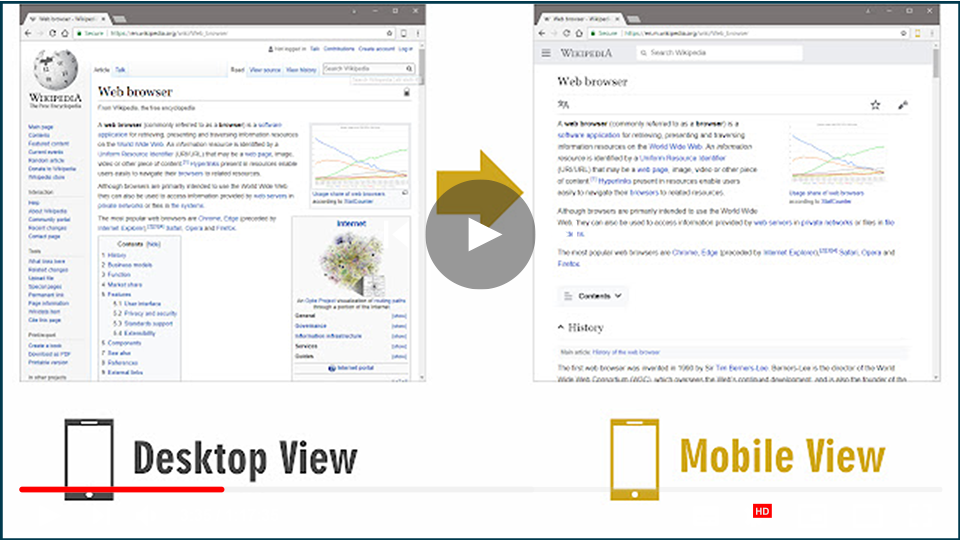
How to Switch to Mobile Website View on Desktop

Switching to a mobile view on a desktop browser can be beneficial for web developers, designers, or anyone who wants to check how a website looks on mobile devices. Here are two effective methods to switch to mobile view effortlessly. Method 1: Using an Extension (Mobile View Switcher) The Mobile View Switcher extension is a […]

How to Switch to Mobile Website View on Desktop Read More »
How to Enable Adobe Flash in Google Chrome

Adobe Flash has historically been a vital platform for displaying multimedia content like animations and interactive graphics. However, due to security concerns and the rise of HTML5, Adobe officially discontinued Flash Player on December 31, 2020. Despite this, some platforms still rely on Flash for specific functionalities. If you need to enable Adobe Flash in

How to Enable Adobe Flash in Google Chrome Read More »

How to Hide/Unhide Extension Icons From Chrome Toolbar

Chrome extensions can greatly enhance your browsing experience, but the icons for these extensions can clutter the toolbar. Fortunately, hiding these icons is simple and can help you maintain a clean and organized interface. Whether you want to hide an icon that runs in the background or unhide one for easy access, follow these straightforward

How to Hide/Unhide Extension Icons From Chrome Toolbar Read More »

Fixing the YouTube Black Screen and Video Not Playing Issue in Chrome

YouTube is the world’s largest video-sharing website. Usually, it works flawlessly while watching videos. However, it occasionally becomes stuck and displays a black screen, which can be extremely inconvenient. If you’re having trouble with Google Chrome, you’ve come to the right place. Here’s how to troubleshoot and resolve YouTube’s black screen and videos not playing

Fixing the YouTube Black Screen and Video Not Playing Issue in Chrome Read More »

How to Add Extensions on Google Chrome

Extensions enhance your Google Chrome browser, allowing for a personalized browsing experience with functionalities like spell checking, language translation, email customization, screenshot tools, and more. If you’re new to using browser extensions, here’s a guide on how to add, remove, and manage them. Installing Extensions from the Chrome Web Store Note: Extensions cannot be added

How to Add Extensions on Google Chrome Read More »

How To Remove Extensions in Google Chrome – Delete Extension from Chrome Browser

I really like my Chrome extensions, and when they work, they are fantastic tools. However, I ran into an issue when one of my add-ons crashed when I opened Google Chrome. Worse, because it did not load properly, I could not uninstall it in the normal manner. Fortunately, there are several methods for uninstalling Chrome

How To Remove Extensions in Google Chrome – Delete Extension from Chrome Browser Read More »

How To Manually Download And Install Extensions

(adsbygoogle = window.adsbygoogle || []).push({}); Installing extensions is easy, just click the “Add to” button on the extension page, and Browser will both download and install the extension. although, What if you want to install the Browser extensions manually? Perhaps you’d like to download the extension but install it on another computer. Alternatively, you may

How To Manually Download And Install Extensions Read More »