
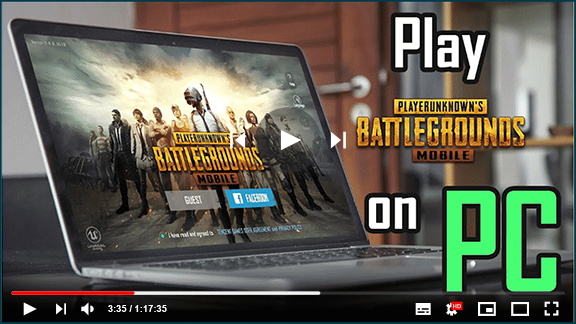

PUBG Mobile | The Next-Gen Shooter
The best Battle Royale game for mobile devices is PUBG Mobile or PlayerUnknown’s Battlegrounds. PUBG mobile, developed by Lightspeed & Quantum Studio, has some of the best graphics in a multiplayer shooter game.
This game allows you to participate in some of the most intense battles for survival, with 100-player battles that are insanely EPIC. In this epic showdown to become the last man standing, play with teammates, or as a lone ranger.
This game is a perfect grab-bag to slay the boredom and become the king of Battle Royale, with a variety of game modes including the thrilling 4v4 deathmatch and terrifying zombie modes.
Play PUBG Mobile PC with Gameloop
Playing on the go is fun but not at the cost of constant charge-ups and sticky controls that let you down. It’s time to say goodbye to small screens because Gameloop now allows you to play PUBG in true console-quality on your PCs!
You can now play PUBG Mobile on your PC screens for free without having to upgrade your system. No more keeping an eye on the battery or avoiding annoying calls at inconvenient times. Enjoy a hassle-free gaming experience that allows you to concentrate on winning the game.
PUBG Mobile PC has simple controls and smooth gameplay, surviving the intense classic 100-player battle or the fast-paced 4v4 deathmatch feels like a breeze. So, are you ready to defeat your opponents and claim the title of Winner Winner and the Chicken Dinner?
The Official PUBG Mobile Emulator
Gameloop is the official PUBG mobile emulator, which is designed to deliver highly optimized gameplay for maximum performance. With a plethora of personalized settings, Gameloop is considered the BEST emulator for PUBG mobile that helps you easily outwit your competition and enjoy the ultra-smooth gameplay without hiccups.
Become the Master of Recoil
With 9 different weapon categories each with its own unique settings, one thing that’s hard to wrap your head around is getting used to recoil patterns. But with easily customizable aim-sensitivity settings in Gameloop, In no time, you’ll be a master of your favorite guns’ recoil!
PUBG Mobile on PC for FREE
Now you can play next-gen battle royale games on your PC without having to pay a cent. Do you have what it takes to stand out in a sea of survivors as the ultimate survivor? To find out, use Gameloop to download PUBG Mobile for PC.
How to play PUBG MOBILE with GameLoop on PC

1. Download GameLoop from the official website, then run the exe file to install GameLoop

2. Open GameLoop and search for “PUBG MOBILE” , find PUBG MOBILE in the search results and click “Install”

3. Enjoy playing PUBG MOBILE on GameLoop
Requirements
Minimum requirements
OS
Windows 8.1 64-bit or Windows 10 64-bit
GPU
GTX 1050
CPU
i3-8300
Memory
8GB RAM
Storage
1GB available space
Recommended requirements
OS
Windows 8.1 64-bit or Windows 10 64-bit
GPU
GTX 1050
CPU
i3-9320
Memory
16GB RAM
Storage
1GB available space

