
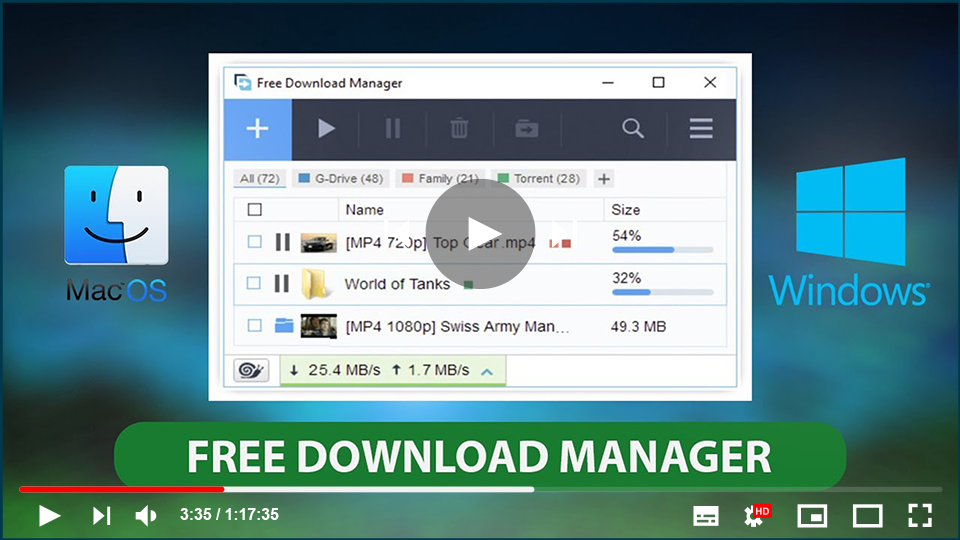

Free Download Manager (FDM) is an essential application designed to help you organize, manage, and accelerate your download tasks. While most web browsers come with built-in download managers, they often lack advanced functionalities like the ability to pause, resume, or accelerate downloads. FDM addresses these issues by offering robust capabilities to ensure your downloads are efficient, reliable, and secure.
Why Use Free Download Manager (FDM)?
The built-in download managers in web browsers tend to be unreliable. They frequently fail to handle complex download tasks, lacking the features that a dedicated download manager like FDM offers. These browsers can’t effectively pause and resume downloads, making it essential to use an external manager that can optimize download processes, handle interruptions, and save time.
FDM is a versatile, open-source download manager compatible with both Windows and macOS, and it’s available for free. It works seamlessly on Windows 7, 8, and 10 (both 32-bit and 64-bit systems), as well as older versions like Windows XP and Vista (FDM version 3.9).
Download Free Download Manager (FDM):
Key Features of Free Download Manager (FDM)
Completely Free and Secure: FDM is free and distributed under the GNU General Public License. You don’t need to worry about hidden charges or intrusive ads, and it’s completely safe for your PC.
Accelerated Downloads: FDM increases download speed by dividing files into multiple sections and downloading them simultaneously. This ensures you’re using your internet connection at its full potential, no matter the type of file or connection speed.
Pause and Resume: One of FDM’s standout features is its ability to pause and resume downloads at any time, even after shutting down your computer. This saves both time and data, making it perfect for large files or unstable connections.
Free Download Manager
It is a powerful, easy-to-use, and absolutely free internet download
manager. Enjoy flawless downloads!
Audio and Video Previews: FDM allows users to preview audio and video files before the download completes. It even lets you convert file formats after downloading.
Organized Downloads: With FDM, you can easily manage and organize your downloaded files by file type, placing them into predefined folders for better management.
Installation and Compatibility
FDM supports a wide range of operating systems. It works with all versions of Windows, including Windows XP and Vista (FDM version 3.9), as well as macOS. You can install it on your computer through the official download link provided above.
In summary, Free Download Manager (FDM) is a must-have for anyone looking to streamline and optimize their downloads. It offers a full suite of features to ensure a smooth, fast, and efficient downloading experience across all platforms. Enjoy flawless downloads with FDM today!
Organized Downloads: With FDM, you can easily manage and organize your downloaded files by file type, placing them into predefined folders for better management.
Installation and Compatibility
FDM supports a wide range of operating systems. It works with all versions of Windows, including Windows XP and Vista (FDM version 3.9), as well as macOS. You can install it on your computer through the official download link provided above.
In summary, Free Download Manager (FDM) is a must-have for anyone looking to streamline and optimize their downloads. It offers a full suite of features to ensure a smooth, fast, and efficient downloading experience across all platforms. Enjoy flawless downloads with FDM today!

