
.webp)
On Windows 0xc000007b application error is very common and users may
encounter it regularly. However, few users know how to fix it. That’s
because this error can be caused by various reasons and there is no single
fix that can deal with it. Here we’ll talk about different methods for
different problems.
encounter it regularly. However, few users know how to fix it. That’s
because this error can be caused by various reasons and there is no single
fix that can deal with it. Here we’ll talk about different methods for
different problems.
Upgraded the computer to New Windows 10 last version with no major
problem. But recently it became slow & showed other problems. so I
tried reinstalling the same version of Windows 10, hoping to get away from
the problem. After finishing installing OS, I had to install commonly used
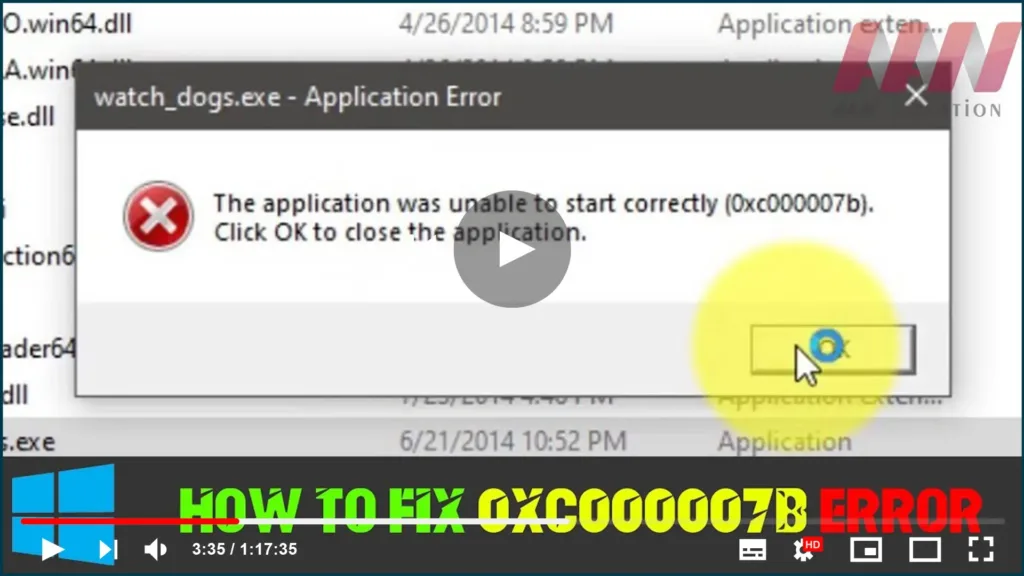
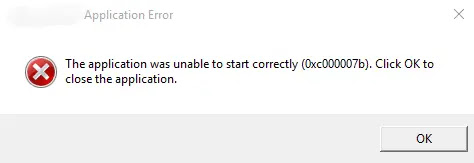
applications, and I received the error “The application was unable to
start correctly (0xc000007b). Click OK to close the application.”
problem. But recently it became slow & showed other problems. so I
tried reinstalling the same version of Windows 10, hoping to get away from
the problem. After finishing installing OS, I had to install commonly used
applications, and I received the error “The application was unable to
start correctly (0xc000007b). Click OK to close the application.”
Windows is user-friendly and easy to access and has become the most
widely used operating system is used by users worldwide as a computer
system. At present, many users have upgraded their computers to Windows 10
which is more than just a PC operating system; it also runs on Windows
phones – and small tablets. One of the common issues with all OS is that
it isn’t perfect & errors occur due to some reason.
widely used operating system is used by users worldwide as a computer
system. At present, many users have upgraded their computers to Windows 10
which is more than just a PC operating system; it also runs on Windows
phones – and small tablets. One of the common issues with all OS is that
it isn’t perfect & errors occur due to some reason.
For Ex, many users have to face a 0xc000007b error while accessing
software or as Games Watch Dogs, Far Cry, Call of Duty, IOS burner
software, & many other games & application which are mostly used
by the people; the error message – “The application was unable to start
correctly (0xc000007b). Click OK to close the application.”
software or as Games Watch Dogs, Far Cry, Call of Duty, IOS burner
software, & many other games & application which are mostly used
by the people; the error message – “The application was unable to start
correctly (0xc000007b). Click OK to close the application.”

The application was unable to start (0xc000007b)
This unable to start error (0xc000007b) is an issue that happened to
applications on Windows computers & it can be a stressful problem. But
this error doesn’t necessarily mean it is beyond repair or the end of the
involved software. There must be certain reasons for the error when you
attempt to run the software. You will become able to fix the problem after
trying several troubleshooting steps here.
applications on Windows computers & it can be a stressful problem. But
this error doesn’t necessarily mean it is beyond repair or the end of the
involved software. There must be certain reasons for the error when you
attempt to run the software. You will become able to fix the problem after
trying several troubleshooting steps here.
Reasons for Windows error code 0xc000007b
There are many reasons behind the Windows error code 0xc000007b &
this part lists the most common ones.
this part lists the most common ones.
The error code means an invalid image format. Specifically, you are
attempting to start an application that is designed to run on a 64-bit
operating system. But your computer is running 32-bit Windows. The 32-bit
application cannot load a 64-bit DLL, thus mixing up 32-bit with a 64-bit
environment brings about a problem.
attempting to start an application that is designed to run on a 64-bit
operating system. But your computer is running 32-bit Windows. The 32-bit
application cannot load a 64-bit DLL, thus mixing up 32-bit with a 64-bit
environment brings about a problem.
(adsbygoogle = window.adsbygoogle || []).push({});
0xc000007b error also has something to do with programs installed on your
computers such as .NET Framework, Direct X, and Microsoft Visual C++. It
tends to appear when you try to launch high graphic games like Far Cry
Assassins without updating to the .net Framework. When the .NET framework
is absent from your computer, you’ll not be able to run apps build on
it.
computers such as .NET Framework, Direct X, and Microsoft Visual C++. It
tends to appear when you try to launch high graphic games like Far Cry
Assassins without updating to the .net Framework. When the .NET framework
is absent from your computer, you’ll not be able to run apps build on
it.
(adsbygoogle = window.adsbygoogle || []).push({});
* It is also possible to get this error when you are installing Windows
10, 8, 8.1, or 7.
10, 8, 8.1, or 7.
* There are chances of getting this 0xc000007b error while you are not
running the software as an administrator.
running the software as an administrator.
* Windows fails to process certain files or required settings to run the
application and then the software can’t start correctly.
application and then the software can’t start correctly.
* This error also can be caused by problematic software with corrupted
files, virus infections, registry errors, etc.
files, virus infections, registry errors, etc.
Follow The Steps to Fix:
Note: Game or Application: You Should Check the Requirements First. The Game or Application that Need Some Hardware Perforamces and Software Updates. This Methods only work for software issues, the hardware you should update!
For Ex:
Call of Duty: Modern Warfare System Requirements
| Minimum | Recommended | Recommended (W/ Ray Tracing) | High/Competitive | Ultra | |
| Experience | 1080p 30 FPS | 1080p 60 FPS | 1080p 60 FPS with Ray Tracing | 1080p 144 FPS | 4K 60 FPS with Ray Tracing |
| GPU | NVIDIA GeForce GTX 670 / GeForce GTX 1650 | NVIDIA GeForce GTX 970 / GTX 1660 | NVIDIA GeForce RTX 2060 | NVIDIA GeForce GTX 1080 / RTX 2070 SUPER | NVIDIA GeForce RTX 2080 SUPER |
| CPU | Intel Core i3-4340 or AMD FX-6300 | Intel Core i5-2500K or AMD Ryzen R5 1600X | Intel Core i5-2500K or AMD Ryzen R5 1600X | Intel i7-8700K or AMD Ryzen 1800X | Intel i7-9700K or AMD Ryzen 2700X |
| RAM | 8GB | 12GB | 12GB | 16GB | 16GB |
| HDD | 175GB free space | ||||
| OS | Win 7 SP1 64-bit | Win 10 64-bit | Win 10 64-bit | Win 10 64-bit | Win 10 64-bit |
01. Update DirectX & .net Framework Latest Versions

02. Download & Install Microsoft Visual C++ (Find the Version- Check
Game Released Year, Download the Same Year Released Microsoft Visual C++
Version
or

03. Restart Your Computer and Run the Game or Application.
(adsbygoogle = window.adsbygoogle || []).push({});
Some Other Methods
For Fix The Problem.
For Fix The Problem.

