
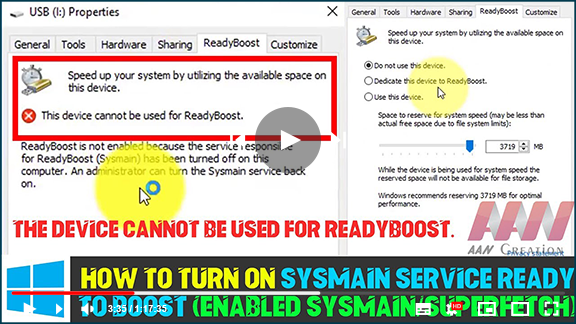

How to turn on Sysmain service Ready To Boost (Enabled Sysmain/Superfetch).
❌ The Device Can’t be used for ReadyBoost. If you want to turn on the Ready
Boost feature, you need to turn on the Sysmain service.
Have you connected Pendrive & tried to use Ready Boost, to increase its
performance. & it says that ” This device can’t be used for
ReadyBoost. ”
it’s a simple problem, try using the steps below :
(adsbygoogle = window.adsbygoogle || []).push({});
1. Type Services, in Start. Right-click on it & start it as ” Run as
Administrator “.
2. Locate the file Superfetch, select ” Properties “.

3. Under General, Check the Service Status: ” Stopped “. Make
sure you set up Startup type: ” Automatic ” and click on ” start ”
A pop-up box opens, which regularly takes 20 sec to finish. That’s it
presses okay once the service status is ” started “.
Now Right-click on Pendrive or memory card, go to “properties” and click on
” Ready Boost ”
Tick the option ” Use this device” & check how much MB does windows
recommend for Optimal performance. ” IF you are using a 16Gb stick then
dedicate 4Gb or 8GB to it.”

(adsbygoogle = window.adsbygoogle || []).push({});
Once you are complete the process, you will find a file named “Ready Boost”
in your Pendrive.
But, you should never disable Superfetch Service, it slows down your
windows!

