
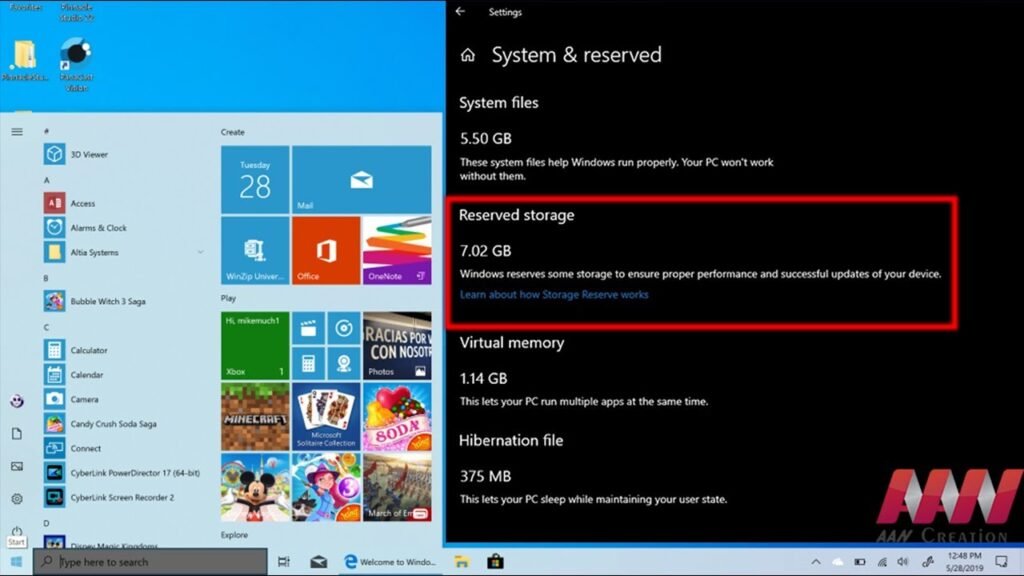

Reserved Storage is space that Windows sets aside, usually around 7 GB, so updates, temporary files and caches always have room. It was introduced in Windows 10 version 1903 and is still part of Windows 11. On a small drive you might want that space back, but keep in mind that turning it off can make updates fail when the drive is nearly full.
See how much space is reserved
- Open Settings > System > Storage.
- Click Show more categories, then System & reserved.
- Look at the Reserved storage line.
Check if it is on
- Open the Start menu, search for Terminal or Command Prompt, right-click it and choose Run as administrator.
- Run this command:
DISM /Online /Get-ReservedStorageStateIt shows Reserved storage is enabled or disabled.
Turn Reserved Storage off
Create a restore point before making system changes like this.
- In the administrator window, run:
DISM /Online /Set-ReservedStorageState /State:DisabledIf you get an error saying the operation is not supported while servicing is in progress, install pending updates, restart and try again.
Turn Reserved Storage back on
DISM /Online /Set-ReservedStorageState /State:EnabledWindows starts reserving space again as it is needed.
Useful tips
- If you just need space, try Settings > System > Storage > Cleanup recommendations or Temporary files first.
- Turning on Storage Sense on the same page clears temporary files automatically.
- Keep at least 20 GB free on the system drive for big Windows feature updates.
Frequently asked questions
Is it safe to disable Reserved Storage?
Windows keeps working, but updates may fail when free space runs low. It’s best left on unless your drive is very small.
Why didn’t I get much space back?
The reserved area is often filled with temporary files Windows needs, and the size depends on your installed features and languages.
Can I change how big Reserved Storage is?
Not directly. Removing optional features and extra languages you don’t use, in Settings > System > Optional features and Settings > Time & language, can make it smaller.
