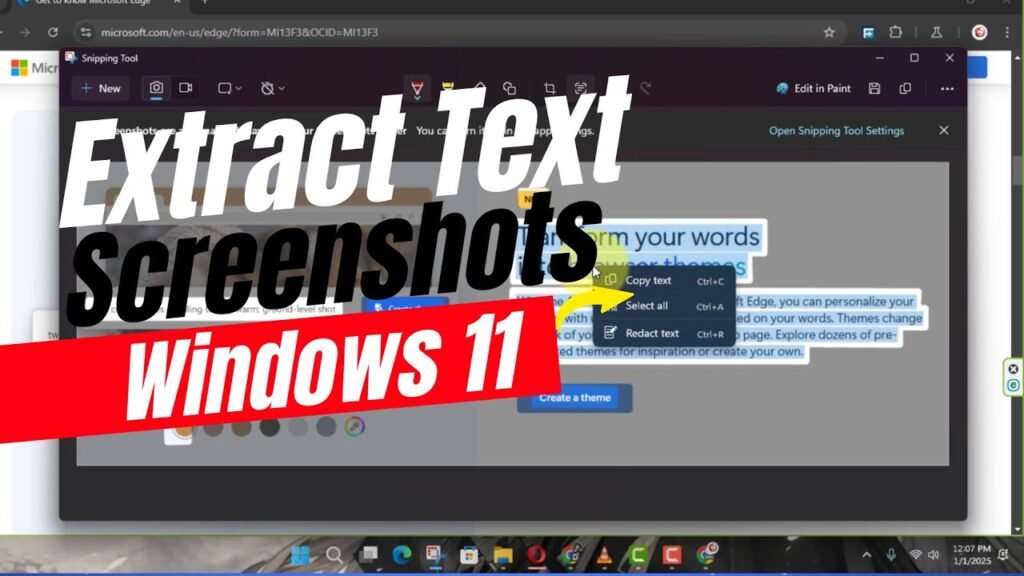

Need text from a picture, a video frame, an error message or a PDF that won’t let you select anything? You don’t have to type it out. Windows 11 can read the text in a screenshot and let you copy it, thanks to Text Actions in the Snipping Tool.
Copy text with the Snipping Tool
- Press Windows + Shift + S and drag a box around the text you want.
- Click the notification that appears to open the screenshot in the Snipping Tool.
- Click the Text actions button in the toolbar. It looks like a small box with lines of text.
- Windows highlights all the text it can read. Select the part you want with your mouse, right-click and choose Copy text, or click Copy all text in the toolbar.
- Paste it anywhere with Ctrl + V.
This also works for images you already have. Open the Snipping Tool, press Ctrl + O to open an image file, then use Text actions.
Faster option: PowerToys Text Extractor
If you copy text from the screen often, Microsoft’s free PowerToys app has a quicker tool.
- Install PowerToys from the Microsoft Store.
- Open PowerToys and make sure Text Extractor is turned on.
- Press Windows + Shift + T, then drag a box around the text.
The text goes straight to your clipboard. There’s no screenshot to open or save.
Tips for better results
- Zoom in on small text before taking the screenshot. Larger text is read more accurately.
- Clear, high-contrast text works best. Fancy fonts and handwriting may produce mistakes.
- Always check numbers, email addresses and codes after pasting. Letters like O and 0, or l and 1, are easy to mix up.
- Screenshots of video calls or presentations work too. Pause the video first so the text is sharp.
- Recognition uses the languages installed in Settings > Time & language > Language & region.
Frequently asked questions
Why don’t I see the Text actions button?
Update the Snipping Tool from the Microsoft Store (open the Store, go to Library and click Get updates). Text Actions is available in current versions of Windows 11.
Does it need the internet?
No. Text recognition runs on your PC, so it works offline.