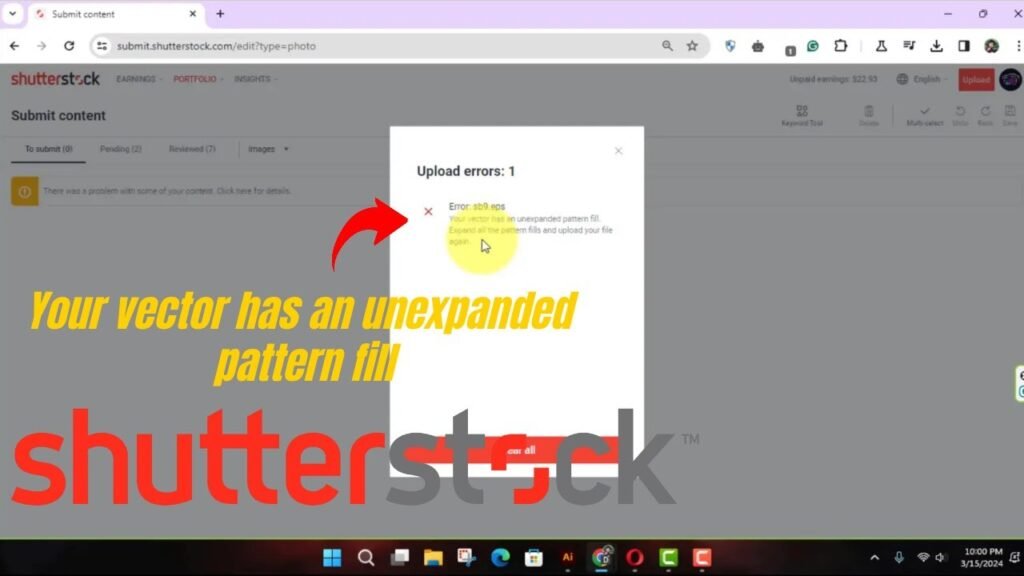

Stock sites such as Shutterstock check vector files before review. A common rejection is "Your vector has an unexpanded pattern fill". It means a shape in your file is filled with an Illustrator pattern swatch instead of real, separate vector shapes. Expanding the pattern fixes it.
Work on a copy of your file, so the editable original is kept.
Step 1: Find shapes with pattern fills
- Open the file in Adobe Illustrator.
- Unlock and show everything: Object > Unlock All and Object > Show All.
- Open the Swatches panel (Window > Swatches) and look for pattern swatches. They look like small tiled squares.
- Click a shape you know uses the pattern, then use Select > Same > Fill Color to select every object with that pattern fill.
Step 2: Expand the pattern
- With the objects selected, choose Object > Expand.
- In the dialog, tick Fill (and Stroke if the stroke uses a pattern too).
- Click OK.
The pattern turns into real shapes inside a clipping mask. If Expand is greyed out, the object has effects or a brush applied. Use Object > Expand Appearance first, then Object > Expand again.
Step 3: Check the whole file
- Choose Select > All (Ctrl + A) and run Object > Expand Appearance if it is available, then Object > Expand.
- Open Window > Document Info, open its panel menu and choose Pattern Objects. With Selection Only unticked, it lists any patterns still used in the document.
- Delete unused swatches: in the Swatches panel menu, choose Select All Unused, then click the trash icon.
Step 4: Save the EPS again
Choose File > Save As, pick Illustrator EPS, and select Illustrator 10 EPS as the version if the site asks for EPS 10. Upload the new file.
Tips
- Check for other common problems at the same time: open paths with fills, live text (convert with Type > Create Outlines) and embedded raster images.
- Gradient meshes and transparency are usually fine in EPS 10, but transparency may be flattened on save, so preview the saved file before uploading.
Frequently asked questions
Why does Shutterstock reject pattern fills?
Pattern swatches can display differently in other programs and may break when the file is converted, so stock sites require them to be real vector shapes.
Will expanding make my file bigger?
Yes, a little, because each tile becomes separate shapes. Large, dense patterns can create heavy files, so keep the pattern only where it’s needed.