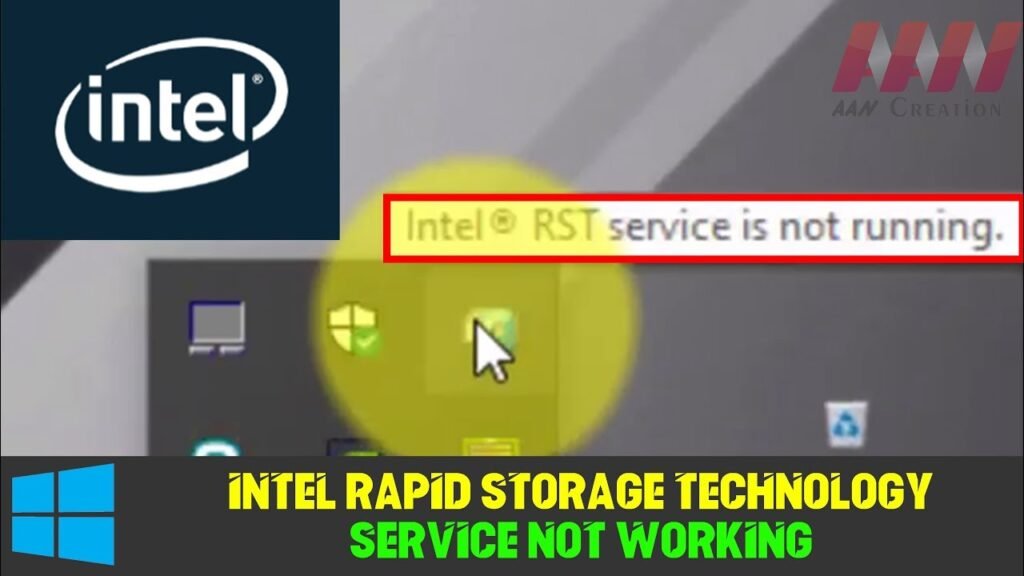

Some PCs show a pop-up saying the Intel Rapid Storage Technology (Intel RST) service is not running, or the Intel RST app refuses to open. Intel RST manages RAID arrays and Intel Optane memory. On many home PCs it’s installed by the PC maker even if you don’t use RAID.
Here’s how to get the service running again, or remove it if you don’t need it.
Restart the service and set it to start automatically
- Press Windows + R, type
services.mscand press Enter. - Find the Intel storage service. Depending on the version it’s called Intel(R) Rapid Storage Technology or Intel(R) Optane(TM) Memory and Storage Management.
- Double-click it.
- Set Startup type to Automatic (Delayed Start). Delayed start often fixes the error because the service waits until Windows has finished loading.
- Click Start, then OK.
- Restart your PC and check whether the message is gone.
Reinstall the correct Intel RST driver
If the service stops again, the driver and app may be mismatched, for example after a Windows feature update.
- Create a restore point first: search for Create a restore point in the Start menu, select your system drive and click Create.
- Go to the support page of your PC or motherboard maker and download the Intel RST or storage driver listed for your exact model.
- Uninstall the current version from Settings > Apps > Installed apps (on Windows 10: Apps & features).
- Install the downloaded package and restart.
The PC maker’s version is usually the safest choice. Intel’s own newer versions may not support your chipset.
Do you need Intel RST at all?
If you don’t use RAID or Intel Optane memory, Windows works fine with its built-in storage driver. In that case you can uninstall the Intel RST app from Installed apps to stop the error.
Important: do not change the SATA mode (RAID, AHCI or Intel RST) in your BIOS to fix this message. Switching it on an installed system can stop Windows from booting.
Useful tips
- Check Device Manager > Storage controllers to see which controller driver your PC uses.
- Run Windows Update, as it sometimes delivers a matching Intel storage driver.
Frequently asked questions
Will removing Intel RST delete my files?
No. Uninstalling the app and service doesn’t touch your data. Only remove the driver itself if you are sure the disk is not in a RAID or Optane setup.
Why did the error start after an update?
Windows updates can replace or reset drivers. The old Intel service then fails to start because its driver version no longer matches.