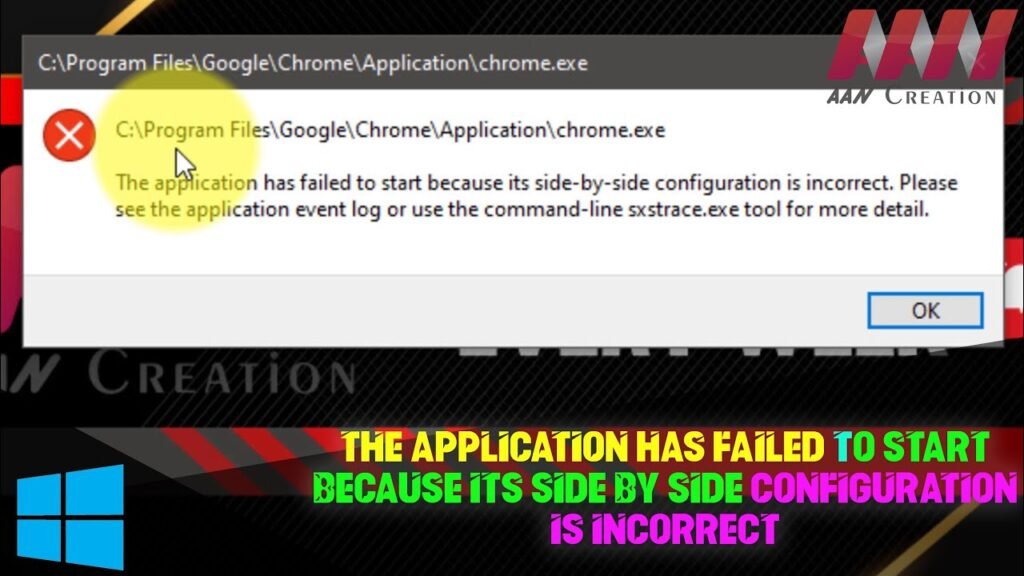

When you open a program you may see: “The application has failed to start because its side-by-side configuration is incorrect.” This usually means the app can’t find the right version of the Microsoft Visual C++ Redistributable it was built with, or its own files are damaged. The fixes below work on Windows 11 and Windows 10.
Fix 1: Repair or install Visual C++ Redistributables
- Go to Settings > Apps > Installed apps.
- Search for Visual C++. You’ll see several versions, such as 2008, 2010, 2013 and 2015-2022.
- Click the three dots next to an entry and choose Modify, then click Repair. Repeat for each one.
- If a version is missing, download the latest supported Visual C++ Redistributable from Microsoft’s official website. Install both the x86 and x64 versions on a 64-bit PC.
- Restart the PC and open the app again.
Only download these files from Microsoft. Never use DLL download sites.
Fix 2: Reinstall the app
The app’s own manifest file may be broken. Uninstall it from Settings > Apps > Installed apps, restart, then install a fresh copy from the developer’s official site. Many installers include the Visual C++ files the app needs.
Fix 3: Find the missing component with SxsTrace
Windows has a built-in tool that shows exactly which component is missing.
- Open the Start menu, type cmd, right-click Command Prompt and choose Run as administrator.
- Run:
sxstrace trace -logfile:sxstrace.etl - Leave the window open, try to start the failing app, then go back and press Enter to stop tracing.
- Run:
sxstrace parse -logfile:sxstrace.etl -outfile:sxstrace.txt - Open sxstrace.txt (in the folder Command Prompt was in) and look for lines with ERROR. They name the missing component and version.
You can also open Event Viewer > Windows Logs > Application and look for SideBySide errors.
Fix 4: Repair Windows system files
In an administrator Command Prompt, run these one at a time:
DISM /Online /Cleanup-Image /RestoreHealth
sfc /scannow
Restart when both finish.
Frequently asked questions
Which Visual C++ version do I need?
It depends on the app. The SxsTrace log or Event Viewer error tells you the exact version. If unsure, install the latest supported redistributable and keep older ones that are already installed.
Is it safe to uninstall old Visual C++ versions?
No. Different apps rely on different versions. Keep them all installed.