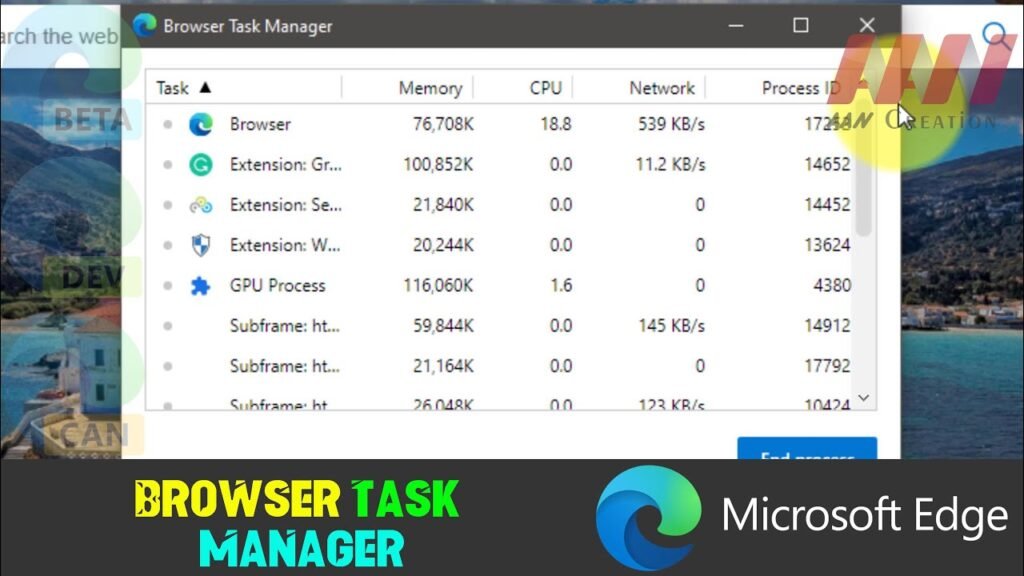

When Microsoft Edge becomes slow or the PC’s fan starts spinning, one tab or extension is often to blame. Windows Task Manager only shows lots of "Microsoft Edge" entries. Edge’s own Browser task manager shows exactly which tab, extension or process is using memory and CPU.
Open the Browser task manager
- Press Shift + Esc while Edge is open. This is the quickest way.
- Or click the three dots in the top-right corner and choose More tools > Browser task manager.
- Or right-click an empty area of the tab bar and choose Browser task manager, if your version shows it.
Find what is slowing Edge down
- In the task manager window, look at the Memory footprint and CPU columns.
- Click a column heading to sort, so the heaviest items are at the top.
- Check the Task name. It shows the tab title, extension name or process type, such as GPU process or Utility.
End a task
- Click the tab or extension that uses the most resources.
- Click End process.
An ended tab shows an error page. Reload it if you still need it. An ended extension stops working until you restart Edge.
Add more columns
Right-click any column heading to add extra details, such as Network or Process ID. Network activity helps you spot a tab that keeps downloading in the background.
Tips to keep Edge light
- Turn on Sleeping tabs in Settings > System and performance so inactive tabs stop using resources.
- Remove extensions you don’t use from edge://extensions.
- If the GPU process uses a lot of resources, update your graphics driver.
Frequently asked questions
Will ending a process close my other tabs?
Usually not. Each tab normally runs in its own process. Ending the main Browser process, however, closes all of Edge.
Does Google Chrome have the same tool?
Yes. Chrome is built on the same Chromium engine, and Shift + Esc opens its task manager too.